
Join the Game4Freak Discord
Get exclusive plugin sneak peeks, talk directly with VisEntities, never miss important updates, and unlock special discount codes!
You are using an out of date browser. It may not display this or other websites correctly.
You should upgrade or use an alternative browser.
You should upgrade or use an alternative browser.
Solved Any Item Counts as Ammo in Counter Display
- Thread starter Junk
- Start date

It's because the cannon is mounted on a boat, and since the boat moves on water, the floating text moves with it
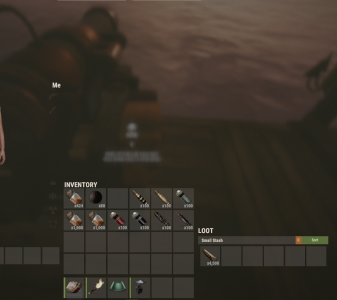
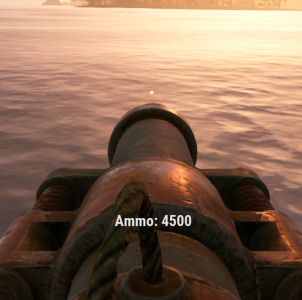
FixedAnything you put in counts as ammo
You can now disable the ammo count overlay usingCould there be an option to turn off the counter?
Show Ammo Count Overlay (set to false)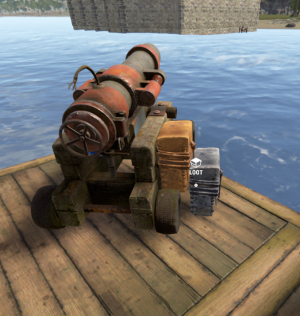
This isn't a bug. When the server restarts, plugins are unloaded. When this plugin unloads, it automatically removes the stashes attached to cannons. That's intentional because you wouldn't want leftover stashes if the plugin is removedSorry to throw another possible bug at you but if you restart the server or reload the plugin it ejects the ammo out into a blue stash
When a stash is removed, any ammo inside it is dropped to the ground. Those items belong to players and were earned by them, so the plugin does not delete them. It simply drops them instead of wiping them
The same behavior happens if a cannon is destroyed. The stash is removed and its contents are dropped

Junk
Customer
Ah great, cheers for your helpThis isn't a bug. When the server restarts, plugins are unloaded. When this plugin unloads, it automatically removes the stashes attached to cannons. That's intentional because you wouldn't want leftover stashes if the plugin is removed
When a stash is removed, any ammo inside it is dropped to the ground. Those items belong to players and were earned by them, so the plugin does not delete them. It simply drops them instead of wiping them
The same behavior happens if a cannon is destroyed. The stash is removed and its contents are dropped