ilineus
Customer
Hey  First of all: thank you so much for this awesome plugin! Our players love it and it makes so much fun!
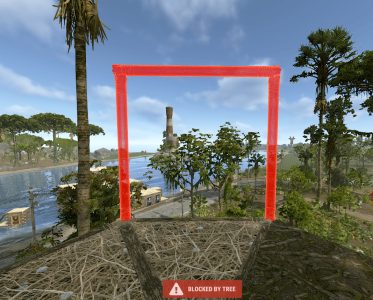
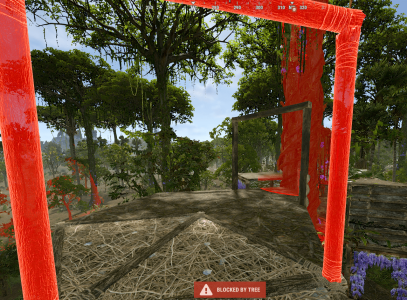
A player reported a strange bug to me: Apparently, it happens randomly every now and then that after removing a building piece (floor, wall, wall frame, whatever), you can no longer place anything in several places on the base and only get the message “blocked by tree.” We haven't been able to figure out the trigger yet. We have also seen this ticket (https://game4freak.io/threads/sometimes-can-build-on-tree-sometimes-not.762/), but leaving the base and returning to it in the hope that the base will recognize the player again does not work. The only thing that has worked so far is reloading the plugin (we don't know yet if this will always work, but it worked well in the last case).
Thank you so much!
Greetings
ilineus
First of all: thank you so much for this awesome plugin! Our players love it and it makes so much fun!A player reported a strange bug to me: Apparently, it happens randomly every now and then that after removing a building piece (floor, wall, wall frame, whatever), you can no longer place anything in several places on the base and only get the message “blocked by tree.” We haven't been able to figure out the trigger yet. We have also seen this ticket (https://game4freak.io/threads/sometimes-can-build-on-tree-sometimes-not.762/), but leaving the base and returning to it in the hope that the base will recognize the player again does not work. The only thing that has worked so far is reloading the plugin (we don't know yet if this will always work, but it worked well in the last case).
Thank you so much!
Greetings
ilineus