Solved Gametip Stuck After Death, Needs Permissions, and Floating Foundations

kaffeebohne

Donor
Customer
1. Is it possible to integrate Oxide permissions for the plugin? Yes/no usage. This would be very important for me.

2.Is it possible to stop the plugin's console entries:
....creative mode: False
creative.freeplacement: "False"
....creative mode: True
creative.freeplacement: "True"
from being transmitted?
Every time I move the tree, my console is full ;)


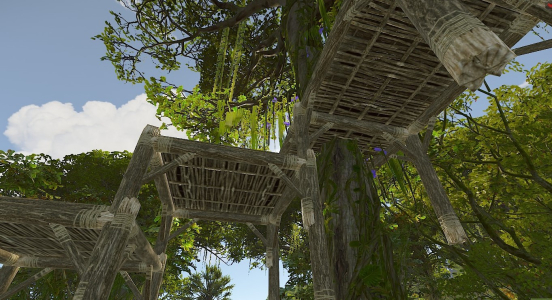
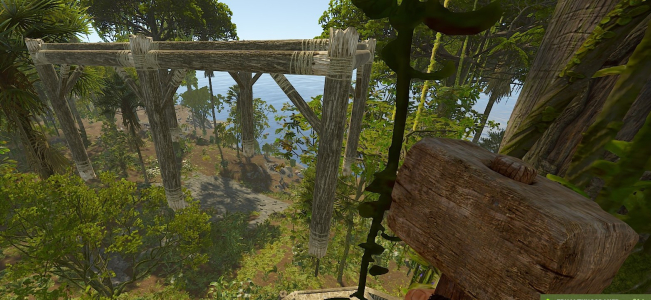
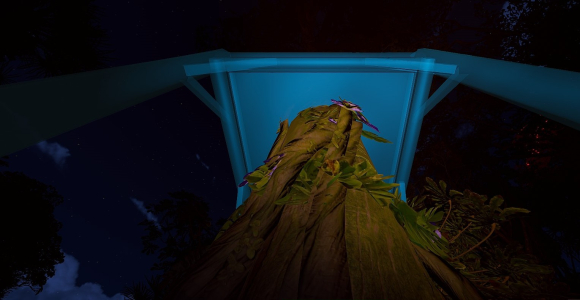
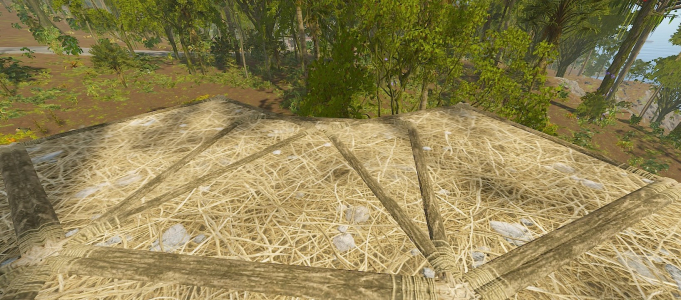
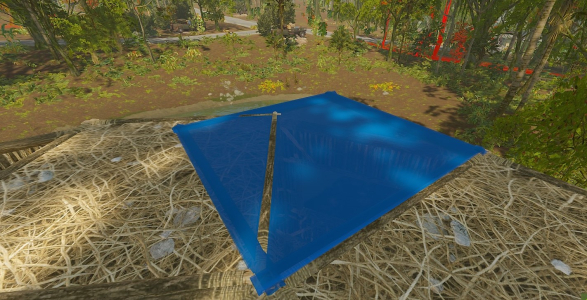
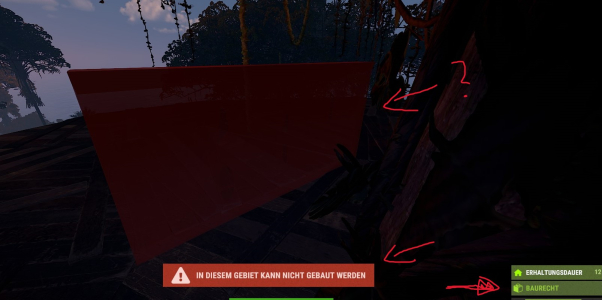
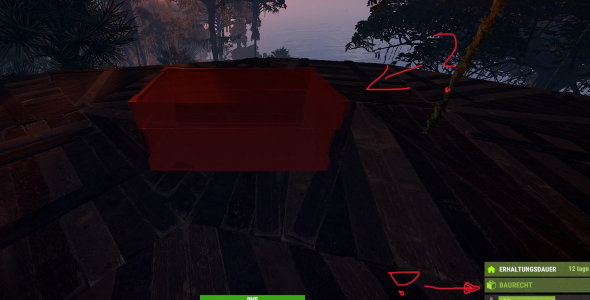
3.I can place foundations in the air or in the tree when I'm standing by the tree.
Would it be possible to lock foundations? They're not necessary for the tree house anyway. This only affects triangular and square foundations.
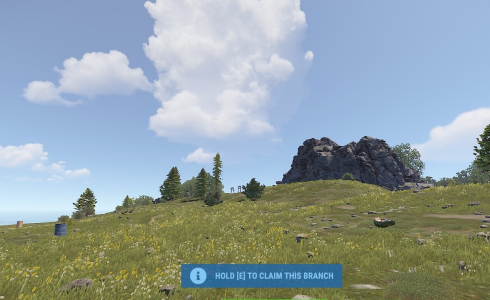
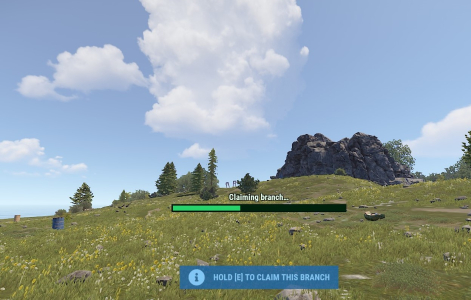
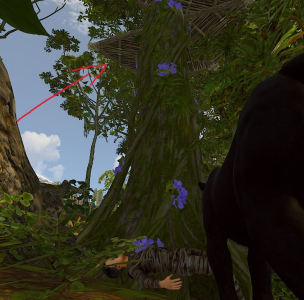
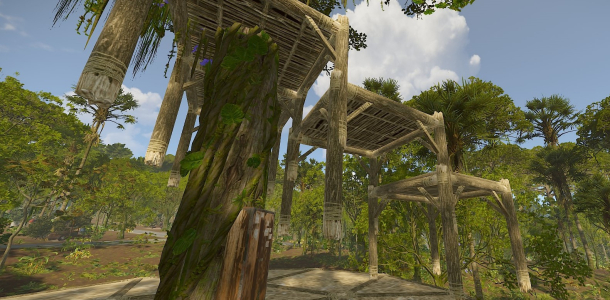
4.If you die while attempting to claim a tree, the message "Hold [E] to claim this branch" will appear upon respawn, even though you're not at the tree.
You can then press E, and the platform will be created at the structure where you died. even though you're not standing at the tree.


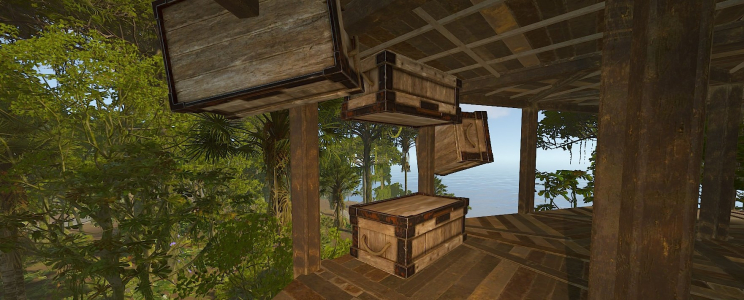
5.It is possible to place ceilings or floors overlapping.

6.When placing things - you can do very funny things.
 

Attachments

  • 91.jpg
    91.jpg
    465.7 KB · Views: 14
  • 92.jpg
    92.jpg
    406.1 KB · Views: 18
  • 93.jpg
    93.jpg
    442.4 KB · Views: 15
  • 94.jpg
    94.jpg
    143.6 KB · Views: 16
  • 95.jpg
    95.jpg
    216.1 KB · Views: 15
  • 96.jpg
    96.jpg
    217.1 KB · Views: 18
  • 97.jpg
    97.jpg
    168 KB · Views: 17
  • 98.jpg
    98.jpg
    525.8 KB · Views: 19
  • 99.jpg
    99.jpg
    373 KB · Views: 17
  • 992.jpg
    992.jpg
    408.5 KB · Views: 18
One more important thing:
If the plugin is unloaded and then reloaded , you won't be able to do anything with treehouses you've already created!
You can't build anything, and you can't place anything! Restarting the server won't help either.
 

Attachments

  • 89.jpg
    89.jpg
    153.7 KB · Views: 18
  • 88.jpg
    88.jpg
    206.7 KB · Views: 18
For me I did not find this to be true. I was able to continue a build I had already started after the plugin had been unloaded and reloaded.
I simply deleted the plugin because I wanted to know what would happen to the treehouse. Then I simply uploaded it again – the result is what I described. 😅 Shit happens
 
Is it possible to integrate Oxide permissions for the plugin? Yes/no usage. This would be very important for me.
Done, permission support has been added

Is it possible to stop the plugin's console entries:
....creative mode: False
creative.freeplacement: "False"
....creative mode: True
creative.freeplacement: "True"
from being transmitted?
Those messages are now removed

Would it be possible to lock foundations? They're not necessary for the tree house anyway. This only affects triangular and square foundations.
Agreed, foundations are now blocked inside the tree's build zone

It is possible to place ceilings or floors overlapping.
Yeah that's a bit tricky, it's due to players having free placement while in the tree zone. There's sadly not much I can do about that directly, but blocking foundations should already cut out most of the crazy stuff, and for the rest… let's just call it part of the charm of building in trees 😄
 
Last edited:
If players use it without sense or reason, “THAT” will happen. I've been using the plugin for months and it works. Of course, you have to explain how it works and its special features to users. That's the job of the admins or mods.
There's a reason why there's an authorization system for its use.

The “shit” is sitting in front of the monitor.
If you have questions about how it works - no problem - but please ask in a reasonable tone.
 
If players use it without sense or reason, “THAT” will happen. I've been using the plugin for months and it works. Of course, you have to explain how it works and its special features to users. That's the job of the admins or mods.
There's a reason why there's an authorization system for its use.

The “shit” is sitting in front of the monitor.
If you have questions about how it works - no problem - but please ask in a reasonable tone.
I apologize for my mistake for not checking the translation because I don't know English. I meant that this plugin can't be useful if you can build like this. And I would like to know how to fix it so that an ordinary player can't create some kind of Mega base with such walls and such capabilities.
 
You have the option to adjust the width of the special building area in the config file. That's all there is to it.

The way this plugin works and the special building zone it creates make the things you've shown possible. You can't disable this. I'd say this plugin isn't really suitable for a PvP server.

It works great on my PvE server—you just have to explain to players what they need to pay attention to.

If a player doesn't follow the rules, they lose their treehouse building privileges on my server.
 
You have the option to adjust the width of the special building area in the config file. That's all there is to it.

The way this plugin works and the special building zone it creates make the things you've shown possible. You can't disable this. I'd say this plugin isn't really suitable for a PvP server.

It works great on my PvE server—you just have to explain to players what they need to pay attention to.

If a player doesn't follow the rules, they lose their treehouse building privileges on my server.
Thanks for clarifying, I should have asked first before buying, well for me it means I don't need it because I don't have a PvE server, but I definitely don't want to see it on PvP.
 
Back
Top
Chat commands start with a /, while console commands can be entered directly in the F1 console or server console. Use find <keyword> in console to search for available commands related to the plugin. Parameters in < > are required, while [ ] are optional.
This plugin uses Oxide's permission system. Grant or revoke permissions using oxide.grant and oxide.revoke. You can assign them to individual players or groups using their Steam id or group name.
Settings are stored in the config file found under the config/ directory. You can edit this file manually, then reload the plugin to apply your changes.
Persistent data is saved in the data/ directory. This includes things like saved settings, usage stats, or player progress depending on the plugin. Deleting a data file will reset stored progress or customizations.
Language files are located in the lang/ folder. To translate messages, copy the en.json file into your target language folder (e.g. fr, de) and edit the values. Reload the plugin after changes to apply new messages.
This section lists public methods exposed by the plugin for use in other plugins. You can call these via the CallHook method. Ensure the plugin is loaded before calling its API to avoid null reference errors.
These are custom hooks that other plugins can listen for. Simply define a method with the same name and expected parameters in your plugin to handle the event. Hooks are triggered at key moments and are useful for extending or reacting to plugin behavior.
These hooks are injected into the game's code using Harmony. They let the plugin run code at key points in the game's internal logic. You can return values to block or modify behavior. Use with caution — these are powerful and can affect core mechanics.
Cart